FIgma Make
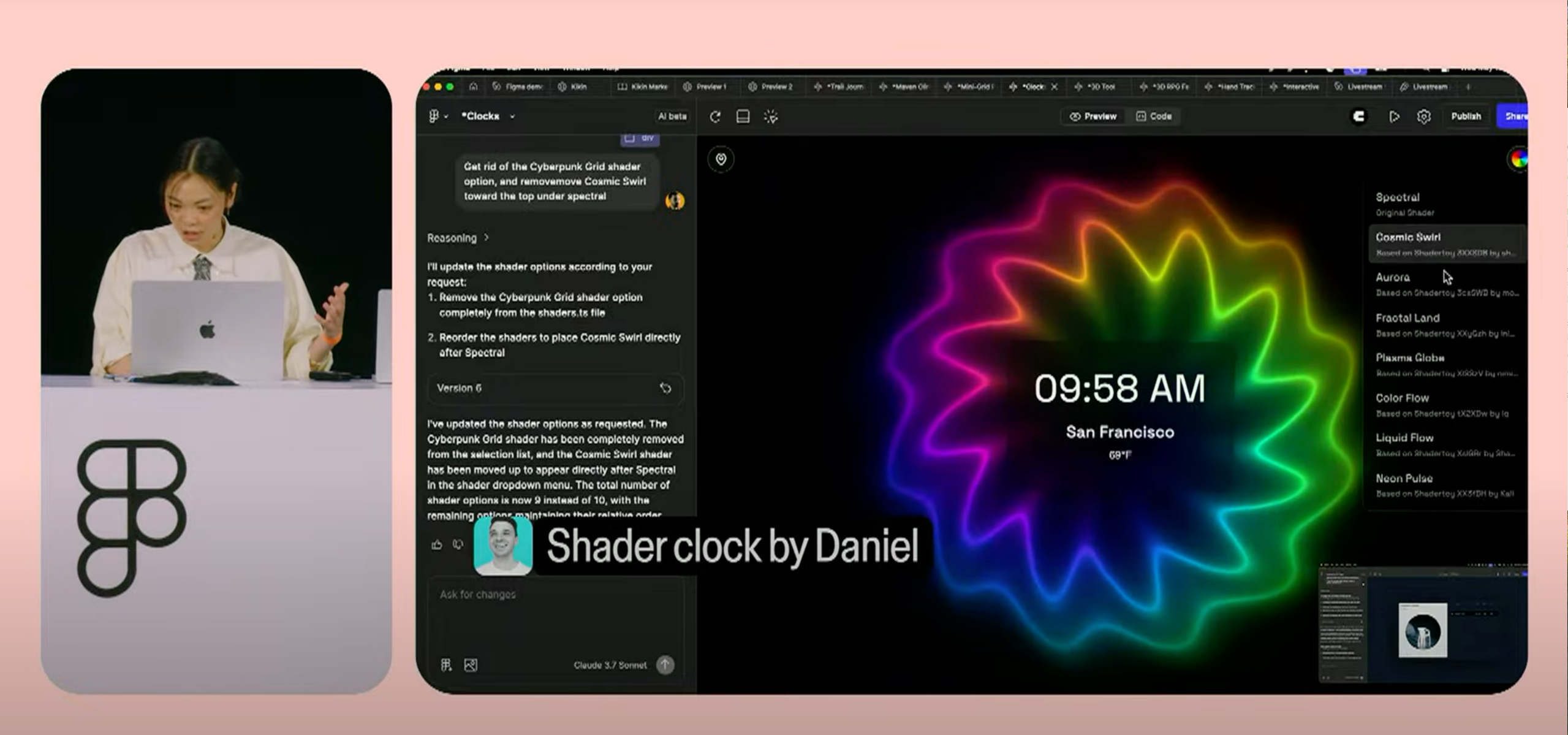
Figma Make is a separate product under Figma Sites. It allows designers and developers to prompt complex interactions, adjust code output, and rapidly iterate prototypes with different functionality. It is currently in alpha testing.
Product Insights
While DR has not yet received access to Figma Make within the beta, we anticipate receiving access within the next few weeks. Once we gain access, we can put together a thorough test to explore Figma Make’s capabilities and make our own decisions about if, when, and how it will fit into our workflows.
AI Features
Multiple Ways to Use Make
Figma Make provides multiple ways to prompt for interactions. Designers can paste-in full Figma designs, individual design system elements, and static imagery in any combination. Developers can paste-in their native code and prompt for interactions on what they’ve already built.
Multiplayer Prompting
In addition to providing multiple ways to prompt, Figma Make has made these interchangeable in a flexible workflow - allowing for collaborative, multiplayer prompting - meaning that the designer and developer can collaborate within Make to use the prompting tool to its fullest potential and craft a well-built prototype together.
Powered by Claude 3.7 Sonnet
Claude 3.7 Sonnet and Claude Code work directly within Figma Make to provide designers and developers the ability to prompt complex interactions with a variety of different inputs.
Usage Features & Limitations
Live and Shareable
Figma Make provides the option to publish your prototypes to the public web, ensuring that your prototypes are available for public sharing. This public publishing option can be toggled off by Figma Team Admins, should the need arise.
Free With Limited Usage While In Beta
While Figma Make is in Public Beta, usage limits will apply. Once it progresses from the Beta stage, the usage limits are subject to change. Figma users will be able to purchase access to higher usage limits.
“I would absolutely love to have Figma be able to parse a rest api and make the values/data accessible in variables, and then use those variables to attach that content to design elements in the site/components.”

user @Whiskersofsteel
Contributor, Figma Sites (Public Beta) Discord
Community Insights
One of the earliest states Figma has released a product in
Typically, when Figma releases a new product, it’s a lot further along and more demo-capable. It feels almost like a warning shot, rather than a usage-ready final product.
A lot of overlap between Lovable, Bolt, and Figma Make
Some creators speculate that Figma Make may be a 1:1 clone of Lovable, specifically the Figma Make code view and point-and-edit tool, that allows you to either edit specific elements’ source code manually, or prompt for changes. The key difference with Figma Make is that it is contained within software already available to Figma Users, with a familiar UI.
Speculated that Figma shifted gears due to competition & industry shift
Since Holly Li, Product Manager of Figma Make only joined the Figma team in January 2025, some speculate that Figma went in this direction as a result of competition from products like Lovable.

© Carter Igo, 2025
All Rights Reserved

Menu
Brand Story
01
Verbal
02
Logo
03
Color
04
Figma Draw
05
Experiments
06

Other Fun Stuff
All Config Sessions
Figma Sites Discord
FIgma Make
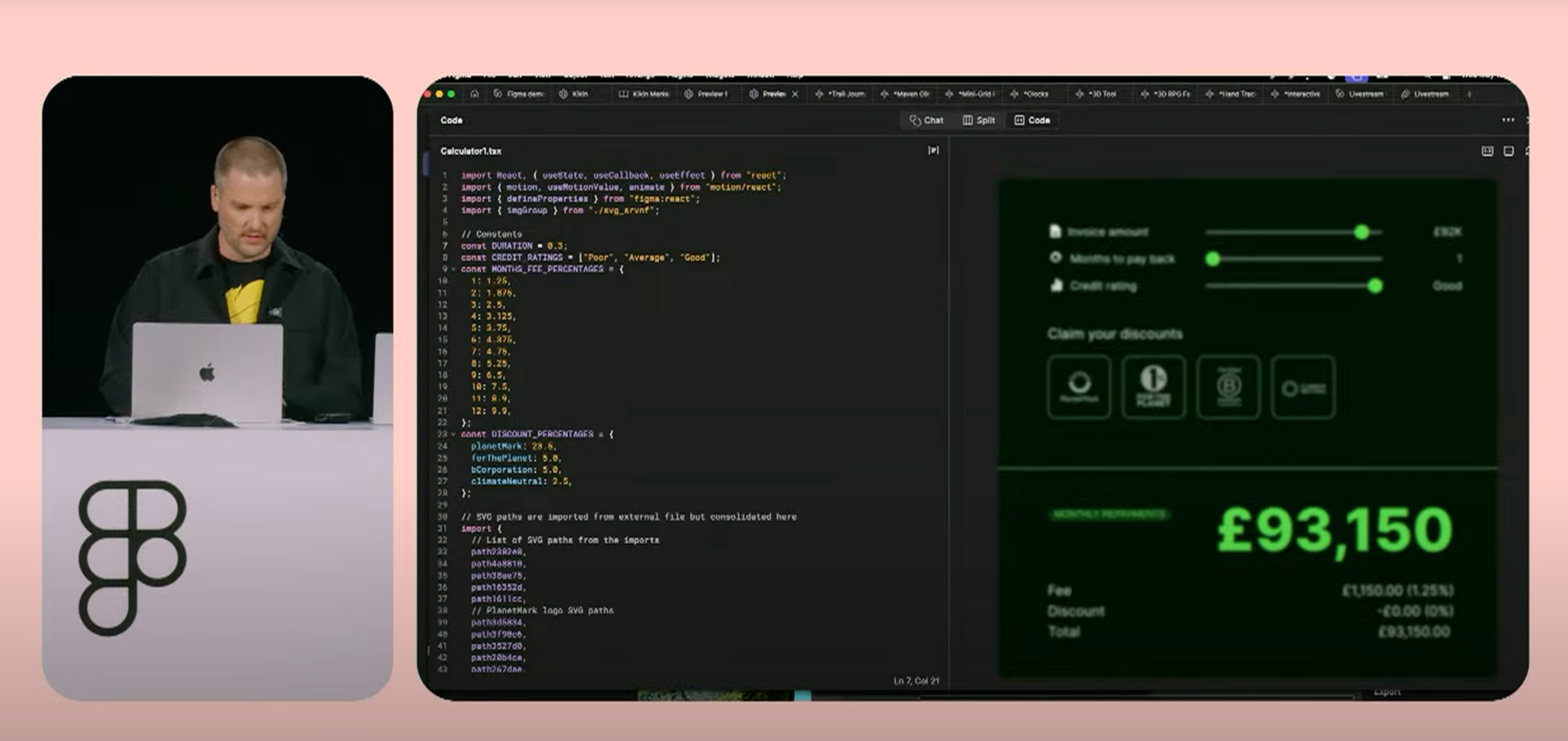
Figma Make is a separate product under Figma Sites. It allows designers and developers to prompt complex interactions, adjust code output, and rapidly iterate prototypes with different functionality. It is currently in alpha testing.
Product Insights
While DR has not yet received access to Figma Make within the beta, we anticipate receiving access within the next few weeks. Once we gain access, we can put together a thorough test to explore Figma Make’s capabilities and make our own decisions about if, when, and how it will fit into our workflows.
AI Features
Claude 3.7 Sonnet
Claude 3.7 Sonnet and Claude Code work directly within Figma Make to provide designers and developers the ability to prompt complex interactions with a variety of different inputs.
Multiple Ways to Use Make
Figma Make provides multiple ways to prompt for interactions. Designers can paste-in full Figma designs, individual design system elements, and static imagery in any combination. Developers can paste-in their native code and prompt for interactions on what they’ve already built.
Multiplayer Prompting
In addition to providing multiple ways to prompt, Figma Make has made these interchangeable in a flexible workflow - allowing for collaborative, multiplayer prompting - meaning that the designer and developer can collaborate within Make to use the prompting tool to its fullest potential and craft a well-built prototype together.
Usage Features & Limitations
Free With Limited Usage While In Beta
While Figma Make is in Public Beta, usage limits will apply. Once it progresses from the Beta stage, the usage limits are subject to change. Figma users will be able to purchase access to higher usage limits.
Live and Shareable
Figma Make provides the option to publish your prototypes to the public web, ensuring that your prototypes are available for public sharing. This public publishing option can be toggled off by Figma Team Admins, should the need arise.
“I would absolutely love to have Figma be able to parse a rest api and make the values/data accessible in variables, and then use those variables to attach that content to design elements in the site/components.”
user @Whiskersofsteel
Contributor, Figma Sites (Public Beta) Discord
Community Insights
Speculated that Figma shifted gears due to competition & industry shift
Since Holly Li, Product Manager of Figma Make only joined the Figma team in January 2025, some speculate that Figma went in this direction as a result of competition from products like Lovable.
A lot of overlap between Lovable, Bolt, and Figma Make
Some creators speculate that Figma Make may be a 1:1 clone of Lovable, specifically the Figma Make code view and point-and-edit tool, that allows you to either edit specific elements’ source code manually, or prompt for changes. The key difference with Figma Make is that it is contained within software already available to Figma Users, with a familiar UI.
One of the earliest states Figma has released a product in
Typically, when Figma releases a new product, it’s a lot further along and more demo-capable. It feels almost like a warning shot, rather than a usage-ready final product.

© Carter Igo, 2025
All Rights Reserved


Figma Grid
01
Figma Sites
02
Figma Make
03
Figma Buzz
04
Figma Draw
05
Playground
06
FIgma Make
Figma Make is a separate product under Figma Sites. It allows designers and developers to prompt complex interactions, adjust code output, and rapidly iterate prototypes with different functionality. It is currently in alpha testing.
Product Insights
While DR has not yet received access to Figma Make within the beta, we anticipate receiving access within the next few weeks. Once we gain access, we can put together a thorough test to explore Figma Make’s capabilities and make our own decisions about if, when, and how it will fit into our workflows.
AI Features
Powered by Claude 3.7 Sonnet
Claude 3.7 Sonnet and Claude Code work directly within Figma Make to provide designers and developers the ability to prompt complex interactions with a variety of different inputs.
Multiple Ways to Use Make
Figma Make provides multiple ways to prompt for interactions. Designers can paste-in full Figma designs, individual design system elements, and static imagery in any combination. Developers can paste-in their native code and prompt for interactions on what they’ve already built.
Multiplayer Prompting
In addition to providing multiple ways to prompt, Figma Make has made these interchangeable in a flexible workflow - allowing for collaborative, multiplayer prompting - meaning that the designer and developer can collaborate within Make to use the prompting tool to its fullest potential and craft a well-built prototype together.
Usage Features & Limitations
Free With Limited Usage While In Beta
While Figma Make is in Public Beta, usage limits will apply. Once it progresses from the Beta stage, the usage limits are subject to change. Figma users will be able to purchase access to higher usage limits.
Live and Shareable
Figma Make provides the option to publish your prototypes to the public web, ensuring that your prototypes are available for public sharing. This public publishing option can be toggled off by Figma Team Admins, should the need arise.
“I would absolutely love to have Figma be able to parse a rest api and make the values/data accessible in variables, and then use those variables to attach that content to design elements in the site/components.”
user @Whiskersofsteel
Contributor, Figma Sites (Public Beta) Discord
Community Insights
Speculated that Figma shifted gears due to competition & industry shift
Since Holly Li, Product Manager of Figma Make only joined the Figma team in January 2025, some speculate that Figma went in this direction as a result of competition from products like Lovable.
A lot of overlap between Lovable, Bolt, and Figma Make
Some creators speculate that Figma Make may be a 1:1 clone of Lovable, specifically the Figma Make code view and point-and-edit tool, that allows you to either edit specific elements’ source code manually, or prompt for changes. The key difference with Figma Make is that it is contained within software already available to Figma Users, with a familiar UI.
One of the earliest states Figma has released a product in
Typically, when Figma releases a new product, it’s a lot further along and more demo-capable. It feels almost like a warning shot, rather than a usage-ready final product.

© Carter Igo, 2025
All Rights Reserved