
Menu
Brand Story
01
Verbal
02
Logo
03
Color
04
Figma Draw
05
Experiments
06

Other Fun Stuff
All Config Sessions
Figma Sites Discord
FIgma Draw
Figma unveiled Figma Draw, a new toolset available to everyone with a full design seat. Within the tools, they added textures, noise, brushes, type on path, and more!


CJ
Design Insights
I won’t lie to you - these are a breath of fresh air and very, very fun to use!
The Positive
Patterns
Within Figma, we can now create repeating patterns with a single customizable source. This opens up some opportunities for us to add some visual depth in certain site graphics and elements, while keeping
Shapebuilder Tool
With this tool, I may not need to switch into Adobe Illustrator for vector clean-up and optimization anymore. This tool is very powerful, offering boolean functions, non-destructive
Custom Brushes & Strokes
A variety of brushes are provided, and they all seem to behave quite well. I believe that the Figma team will release more brushes as they work on refining the toolkit over the next couple of weeks/months. Overall, they seem like they could work well to provide some visual variety in site elements.
Oooo Textures!
The addition of textures is a welcome reprieve from the flat colors and gradients that were available before. I’ve wanted something like this in Figma for awhile, and I’m super excited to put it to use!
The Negative
Tool Usage is different for different designers
The Figma team decided to make the UI for this tool progressive, meaning that you really need to dig into a particular illustration to get access to the full range of tools available. The more you dig, the more will be available to you. I’d prefer to have every tool easily surfacable, rather than hidden.
Radial Symmetry
This was a feature I was very excited to test out, and unfortunately I was unable to figure out how to access it at all. It’s possible that this has not been released to the public yet, but I was quite disappointed when I could not find it in the available tool suite, following the Config Updates.
Type on Path needs some work, in my opinion
The type on path controls seem to need some adjustments - they’re just lacking some consistency from what I can tell. Once the tool is tightened up a bit, I have no doubt that designers will get a lot of use out of it. For now, the type stretch brush appears to be working better.
There seems to be a few bugs with the tools
Occasionally, the tools will lag or stop working, when used in combination. When this happened, I had to close out Figma and re-open the file, but I never experienced an error that set me back in the illustration process - only those that prevented me from moving forward.
Community Insights
Some designers were hoping for more updates in Figma’s primary design suite, rather than a separate tool
Although the tools included in Figma Draw are very helpful for new creative exploration, many designers indicated they would rather have more web-appropriate tool options
People seem to love it so far, and are stress testing
This tool is brand new, and designers are showing exactly how far you can push this tool often - coming up with new approaches and studies to show how well these tools work.
Some Trial Illustrations
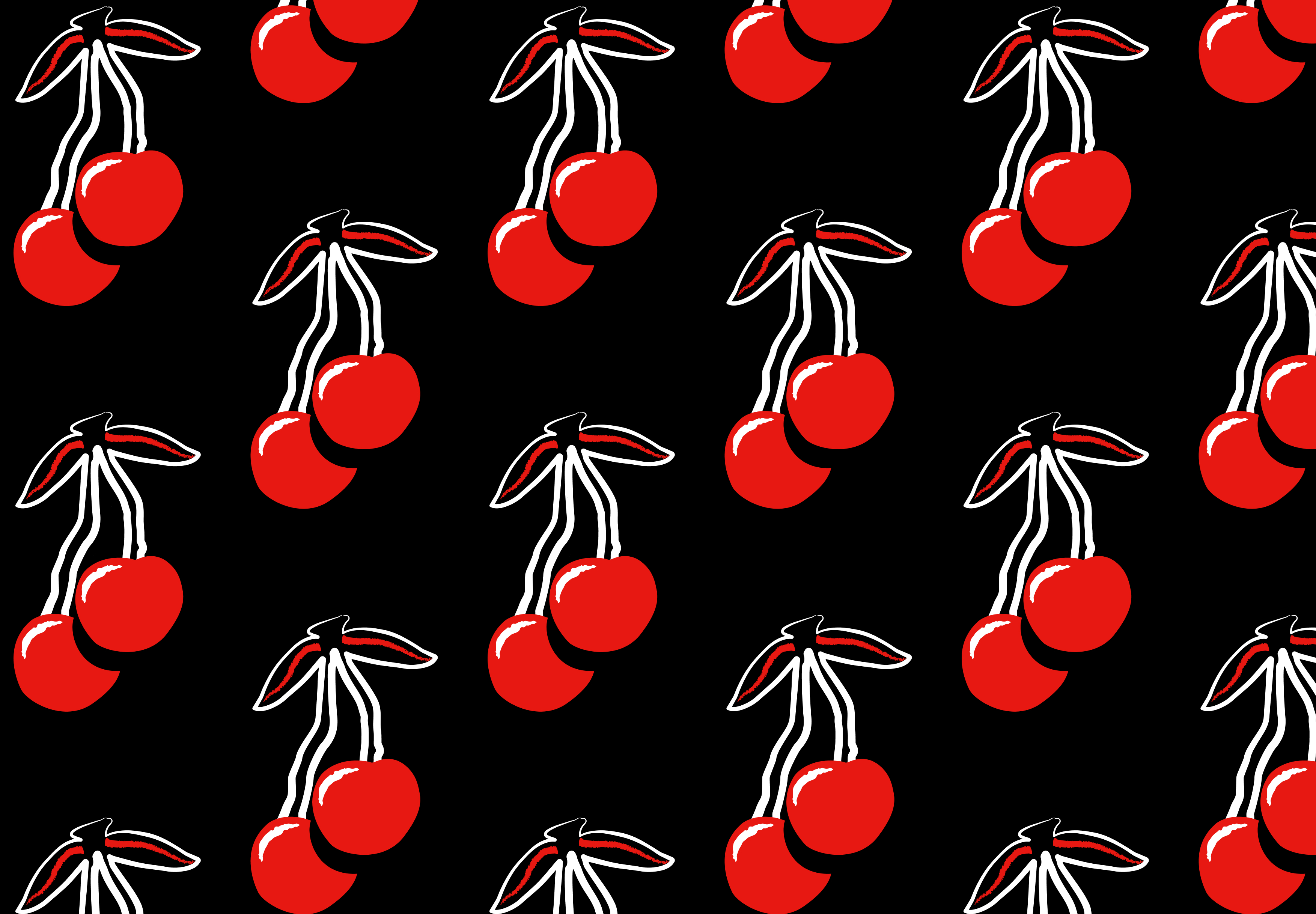
Here are a couple of examples of illustrations & elements that I made utilizing the new Figma Draw Tools.




© Carter Igo, 2025
All Rights Reserved
FIgma Draw
Figma unveiled Figma Draw, a new toolset available to everyone with a full design seat. Within the tools, they added textures, noise, brushes, type on path, and more!
CJ
Design Insights
I won’t lie to you - these are a breath of fresh air and very, very fun to use!
The Positive
Oooo Textures!
The addition of textures is a welcome reprieve from the flat colors and gradients that were available before. I’ve wanted something like this in Figma for awhile, and I’m super excited to put it to use!
Custom Brushes & Strokes
A variety of brushes are provided, and they all seem to behave quite well. I believe that the Figma team will release more brushes as they work on refining the toolkit over the next couple of weeks/months. Overall, they seem like they could work well to provide some visual variety in site elements.
Shapebuilder Tool
With this tool, I may not need to switch into Adobe Illustrator for vector clean-up and optimization anymore. This tool is very powerful, offering boolean functions, non-destructive
Patterns
Within Figma, we can now create repeating patterns with a single customizable source. This opens up some opportunities for us to add some visual depth in certain site graphics and elements, while keeping
The Negative
There seems to be a few bugs with the tools
Occasionally, the tools will lag or stop working, when used in combination. When this happened, I had to close out Figma and re-open the file, but I never experienced an error that set me back in the illustration process - only those that prevented me from moving forward.
Type on Path needs some work, in my opinion
The type on path controls seem to need some adjustments - they’re just lacking some consistency from what I can tell. Once the tool is tightened up a bit, I have no doubt that designers will get a lot of use out of it. For now, the type stretch brush appears to be working better.
Radial Symmetry
This was a feature I was very excited to test out, and unfortunately I was unable to figure out how to access it at all. It’s possible that this has not been released to the public yet, but I was quite disappointed when I could not find it in the available tool suite, following the Config Updates.
Tool Usage is different for different designers
The Figma team decided to make the UI for this tool progressive, meaning that you really need to dig into a particular illustration to get access to the full range of tools available. The more you dig, the more will be available to you. I’d prefer to have every tool easily surfacable, rather than hidden.
Community Insights
People seem to love it so far, and are stress testing
This tool is brand new, and designers are showing exactly how far you can push this tool often - coming up with new approaches and studies to show how well these tools work.
Some designers were hoping for more updates in Figma’s primary design suite, rather than a separate tool
Although the tools included in Figma Draw are very helpful for new creative exploration, many designers indicated they would rather have more web-appropriate tool options
Design Community Insights
Negative Thought
Precision matters when it comes to financial corrections. A small error can have a big impact on your savings, credit score, or future financial goals.
Negative Thought
Your time is valuable, and dealing with financial errors shouldn’t take up more of it than necessary. Whether it’s an unexpected overdraft fee or a billing mistake, we take care of the correction process for you.
Negative Thought
An overlooked charge or a simple accounting mistake shouldn’t throw off your financial plans. We step in to identify and correct these issues before they become bigger problems.
Negative Thought
Not sure what that unexpected charge is? Worried about an incorrect withdrawal? Instead of worrying or assuming the worst, let us investigate and resolve the issue for you.
Some Trial Illustrations
Here are a couple of examples of illustrations & elements that I made utilizing the new Figma Draw Tools.

© Carter Igo, 2025
All Rights Reserved


Figma Grid
01
Figma Sites
02
Figma Make
03
Figma Buzz
04
Figma Draw
05
Playground
06
FIgma Draw
Figma unveiled Figma Draw, a new toolset available to everyone with a full design seat. Within the tools, they added textures, noise, brushes, type on path, and more!
CJ
Design Insights
I won’t lie to you - these are a breath of fresh air and very, very fun to use!
The Positive
Oooo Textures!
The addition of textures is a welcome reprieve from the flat colors and gradients that were available before. I’ve wanted something like this in Figma for awhile, and I’m super excited to put it to use!
Custom Brushes & Strokes
A variety of brushes are provided, and they all seem to behave quite well. I believe that the Figma team will release more brushes as they work on refining the toolkit over the next couple of weeks/months. Overall, they seem like they could work well to provide some visual variety in site elements.
Shapebuilder Tool
With this tool, I may not need to switch into Adobe Illustrator for vector clean-up and optimization anymore. This tool is very powerful, offering boolean functions, non-destructive
Patterns
Within Figma, we can now create repeating patterns with a single customizable source. This opens up some opportunities for us to add some visual depth in certain site graphics and elements, while keeping
The Negative
There seems to be a few bugs with the tools
Occasionally, the tools will lag or stop working, when used in combination. When this happened, I had to close out Figma and re-open the file, but I never experienced an error that set me back in the illustration process - only those that prevented me from moving forward.
Type on Path needs some work, in my opinion
The type on path controls seem to need some adjustments - they’re just lacking some consistency from what I can tell. Once the tool is tightened up a bit, I have no doubt that designers will get a lot of use out of it. For now, the type stretch brush appears to be working better.
Radial Symmetry
This was a feature I was very excited to test out, and unfortunately I was unable to figure out how to access it at all. It’s possible that this has not been released to the public yet, but I was quite disappointed when I could not find it in the available tool suite, following the Config Updates.
Tool Usage is different for different designers
The Figma team decided to make the UI for this tool progressive, meaning that you really need to dig into a particular illustration to get access to the full range of tools available. The more you dig, the more will be available to you. I’d prefer to have every tool easily surfaceable, rather than having some tools hidden.
Community Insights
People seem to love it so far, and are stress testing
This tool is brand new, and designers are showing exactly how far you can push this tool often - coming up with new approaches and studies to show how well these tools work.
Some designers were hoping for more updates in Figma’s primary design suite, rather than a separate tool
Although the tools included in Figma Draw are very helpful for new creative exploration, many designers indicated they would rather have more web-appropriate tool options
Some Trial Illustrations
Here are a couple of examples of illustrations & elements that I made utilizing the new Figma Draw Tools.

© Carter Igo, 2025
All Rights Reserved